Hi, I've been setting up particle devices for a decade, but each time I come back it seems a little different and I'm confused again. Any help is appricated.
$ particle update-cli # success... just including this for reference so you know I'm updated
While trying to setup a Boron
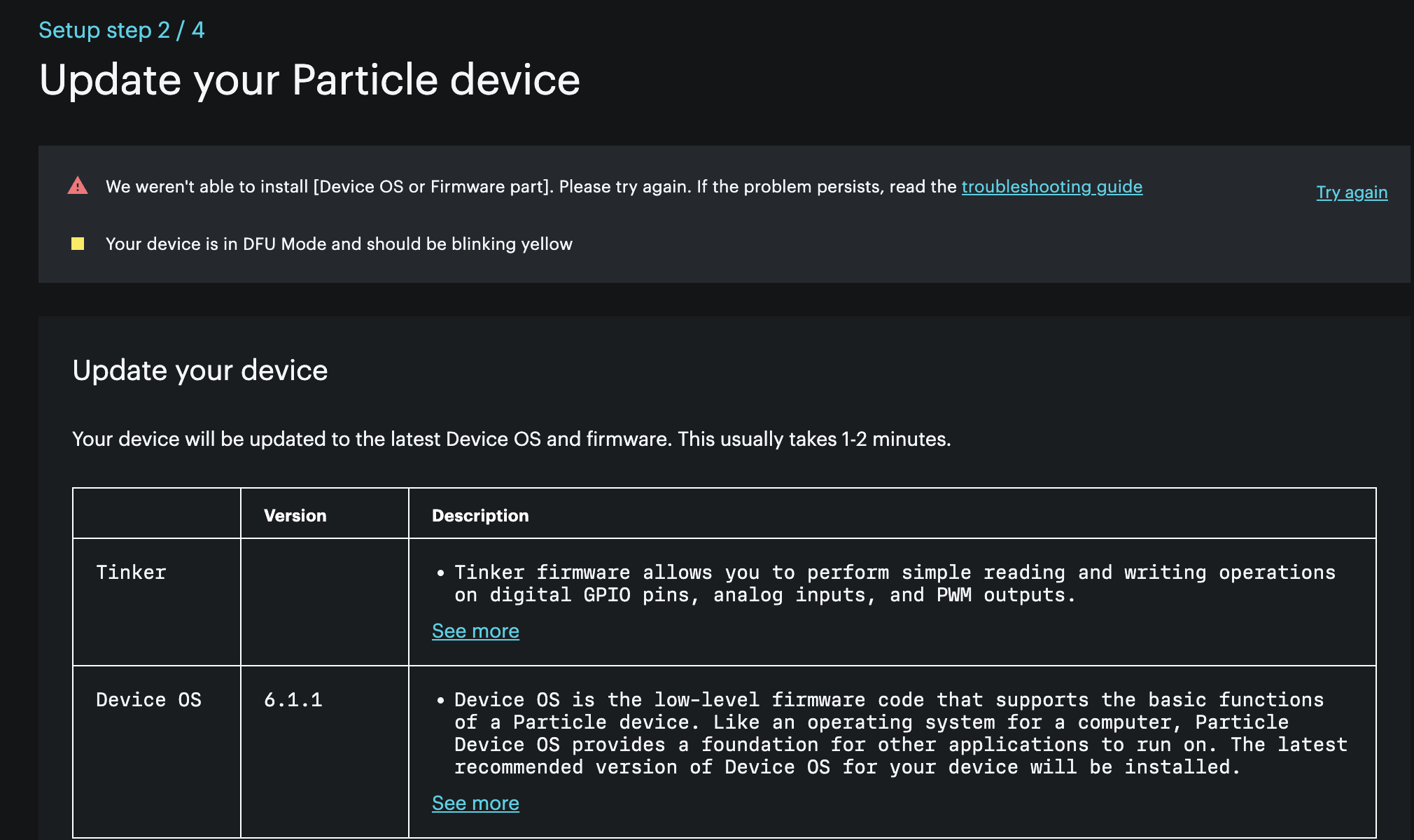
http://setup.particle.io -- > wants to apply device OS 6.1.1, and it fails to work (see screenshot)
The version doesn't seem right.
The cutting edge looks like 6.1.0
other devices auto-update to only 4.2.0
4.2.0 is marked "latest" on git?
$ particle flash --local -target 6.1.1 tinker fails "Device OS version not found for platform: 13 version: 6.1.1"
I try anyway to do the update (to 6.1.1) and it fails on mac in chrome.
I try multiple cables (that came with units) and multiple ports/adapters on the mac
From the CLI:
I'm able to blink-blue and do a particle identify just fine
I'm able to blink-fast-yellow and flash 4.2.0 with tinker just fine.
So, I'm confused about why the browser-setup is not working (it has before) and what the right OS version to use is. I could use help on both.
Also, I guess I don't know how to claim devices when that webpage doesn't work. I AM ABLE to add the device to a product using the coreid. The dashboard shows me all it's info after it connected, but it doesn't look "claimed" and reports owner is "unknown". How do I go about claiming it now. CLI particle setup fails as being depricated.
The build of 6.1.1 is in progress, but setup.particle.io should not be using it yet. I notified the team about this issue. It should be using 6.1.0.
On Github, 4.2.0 is the latest LTS release, because the the 6.x line will eventually become the LTS release line, but it's still in development, but generally stable.
For Gen 4 devices (RTL872x, P2, Photon 2, and M-SoM) the recommended version is 5.6.0 right now, 5.8.2 or later once released.
You can set up a device using the Particle CLI instead of using setup.particle.io. Once you have the device ID you can use particle device add <deviceid> to add it as a sandbox device to your account. Or you can add it to a product via the console, as you mentioned.
@rickkas7 thanks so much for such a quick reply. And thanks for the info/education. I had forgotten about particle device add <coreid>
A followup question: It seems I was able to add a device to a product, activate the sim, and have it show up in the product's device list BEFORE/WITHOUT having "claimed" the device or having it added to my sandbox. Is that intended? Would there be an issue with it in that type of state? Should I go back and make sure I don't have any devices in that state (effectively unclaimed)
It seems I was able to add a device to a product, activate the sim, and have it show up in the product's device list BEFORE/WITHOUT having "claimed" the device or having it added to my sandbox. Is that intended?
Yes, this is intentional and how we recommend products be set up.
Claiming is really only necessary if you are doing development and want to be able to flash the devices directly from Workbench or the Web IDE, vs. flashing a fleet of devices from the console.