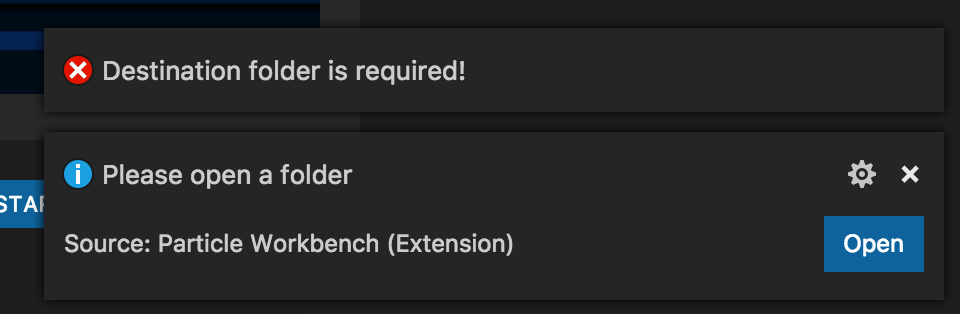
I’ve followed all the docs, read over some other community threads with people having issues and I still cannot seem to create a new project.
All I keep getting is:
Per Issues installing Workbench's VSIX (combined from multiple threads.) I made sure to close any workspace/folder as you can see here:
I also tried to create a folder (since thats what the error indicates) as well as tried to have a new workspace open - neither of those worked.
I’m running VSC - Insiders if that matters. Just downloaded it a couple of hours ago. Installed the 3 vsix files in the specified order - no problems there. Was prompted to install the CLI which also seemed to install ok.
Any suggestions on what I am doing wrong?
Did it prompt to install dependecies including gcc and deviceOS? It didn’t for me and that’s a show stopper. Finally got it fixed by uninstalling VSC, reinstalling VSC and the reinstalling each visx again (core file last).
It did… and I figured it out!!
Clearly I’m new to visual studio code or something (although a professional developer for 15 years and have used many IDEs  - all I had to do is click the blue ‘OPEN’ button is what I assumed was an error dialog, but is actually apparently a prompt. And that OPEN button apparently does something else besides having an ‘open’ folder already in a workspace. It then opened a file explorer window, I chose a new empty folder, and it created a workspace out of the folder, with a new project in it.
My advice on UX is to detect if the user already has a workspace open and jump right to the ‘new project name?’ input box, and then create a new project in the currently open workspace. Just my $0.02.
I’ve been able to compile locally, as well as ‘cloud flash’ my electron. All seems well now!