Hello Tachyon Community,
This is a thread to announce the initial build of 24.04 for Tachyon! This is taking a long time to get out as I noted in the 1.0.170 release note, but we really don’t want to hold things back until they’re “perfect” so starting now, we’re moving our Ubuntu 24.04 development conversation into the open. No more internal slack threads!
This means you’ll see posts from our engineers (and from me) here in the forum as we share milestones and the messy bits: what works, what’s broken, and how we’re fixing it. Think of it as a running lab notebook you can join.
Background
Ubuntu 24.04 was ported for the QCS6490 by Qualcomm / Canonical under a commercial relationship to make a certified image for the processor - it went GA around 1 month ago and there are official images for the Qualcomm developer boards now available (RB3 Gen 2). It supports the Qualcomm varies SDKs (info coming soon on how to use the Camera and Robotic stacks) as well as their Docker based containers (compatible with Particle's platform managed container engine).
So what is this build then? Well, that porting effort was for the QCS6490 variant of the 6490 platform - Tachyon is using the QCM variant (M == “modem”? I don’t actually know how the product name works, other than we have the chip with the 5G modem inside it!) and so this image needs adapting to get it to work for our device. I asked that we take a precautionary approach here to get this build out, as misbehaving on the cellular network is pretty bad for many folk (especially our business!). Accordingly, we have taken an initial and gentle pass to releasing 24.04 - it's based on the 20.04 system image and replaces files inside it (vs building a complete system image). It preserves the RF calibration, the cellular regulatory info etc.. as is shaped such that we can get everything working in the open before we rip up the disk structure to be a little more standard.
What works today
- Networking: Wi-Fi + Bluetooth, USB Ethernet
- USB: Core connectivity is stable
- Boot: Open U-Boot + near-mainline Linux kernel
- Userland: Full Ubuntu 24.04 LTS (apt, systemd, dev tools)
What’s not ready yet
- 5G modem & GNSS
- GPIO / 40-pin header / Activity LED (looks to just be the device tree that needs configuring)
- USB-C host mode (defaults to device mode via adbd.service and doesn't auto switch)
- Display output (DP Alt-Mode / DSI drivers + DT updates - needs the USB switch code to work)
Right now, this is essentially a headless build and despite all the bluster on "make sure we don't break the cellular stack", alas its missing the cellular piece at the moment (sadly, my favorite feature) and it will require work that only we can do to get this out.
How to build it
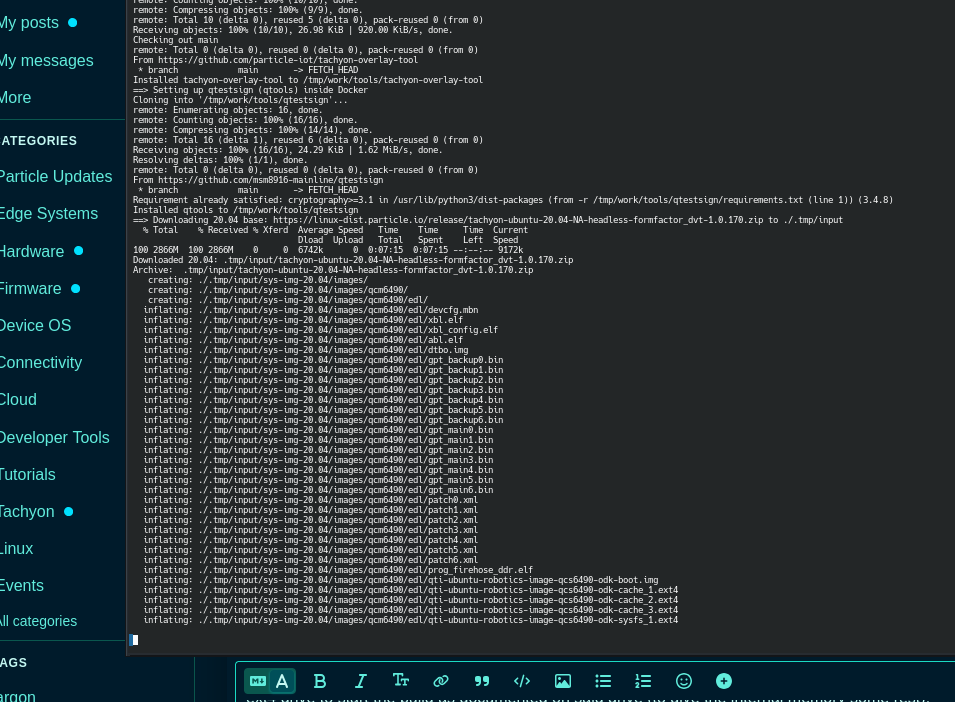
We’ve published docs to rebuild from scratch (Mac, Linux, or WSL2). In ~10 minutes you can make a flash-able ZIP file that boots into 24.04 and is based on (almost all) open source repos on our github site.
See the docs here: Overview | Particle Developer
Spoiler for those impatient - we uploaded the output from a build I ran here:
https://linux-dist.particle.io/prerelease/tachyon-ubuntu-24.04-RoW-desktop-formfactor_dvt-9.9.999.zip
How to install
Using the Particle CLI, you can go through device setup again and flash the 24.04 ZIP file using the following command:
particle tachyon setup --version=/Users/nicklambourne/Downloads/tachyon-ubuntu-24.04-RoW-desktop-formfactor_dvt-9.9.999.zip
( Update the path of course  )
)
What’s first?
When the device boots, its console is available on either UART or over ADB on the USB port.
-
For ADB access, just plug it into your pc and run "adb shell" (see this for more info: Accessing the Linux Console | Particle Developer)
-
What's the debug adapter? Well, you can find it here! https://developer.particle.io/tachyon/device-details/debug-board
If you’re actively contributing to 24.04, we’ll send you a Tachyon debug adapter free - please email kent.mok@particle.io and include a picture of a cat and/or garlic bread.
What’s next?
Coming very soon to this thread are the following items:
- Our reference complete DTS file that is used on 20.04. This is where most of the work is to get all the peripherals running is - translating this file into the 24.04 DTS. Scott will update us with this file tomorrow!
- Display support - Andrey is working on bringing up with Rasberry Pi Display Touch 2 as an example so you all can help port over the other Rasberry Pi displays. The code appears very similar which is super helpful.
How you can help
- Test: Flash it, connect, run workloads, file issues
- Contribute: PRs welcome (build scripts, kernel, overlays)
- DTB experts: GPIO, LEDs, SPI, camera all need attention
- Share: Post findings & logs so others benefit
Links
- Docs: Overview | Particle Developer
- GitHub:
- tachyon-composer - GitHub - particle-iot/tachyon-composer
- tachyon-u-boot - GitHub - particle-iot/tachyon-u-boot
- tachyon-ubuntu-24.04-kernel - GitHub - particle-iot/tachyon-ubuntu-24.04-kernel
- tachyon-overlays - GitHub - particle-iot/tachyon-overlays
We know developing in the open carries risk, but it also carries energy. The team will show up and would love some feedback!
Cheers folks,
The Tachyon Team